Product Overview #
Three variants side by side, compiled from a hardware survey and IBM's product records. A value spanning several columns applies to each of those variants; a dash means no source records it.
| Specification | ThinkPad 240 | ThinkPad 240X | ThinkPad 240Z |
|---|---|---|---|
| Released | June 1999 | June 2000 | — |
| Processor | Intel Mobile Celeron, 300, 366 or 400 MHz (soldered BGA package) |
|
|
| Chipset | Intel 440DX | Intel 440MX | — |
| Bus |
|
— | |
| Memory | Standard 64 MB soldered; maximum 192 MB; SDRAM (66 MHz), 1 × 144-pin SO-DIMM slot | Standard 64 MB soldered; maximum 192 MB; PC100 SDRAM, 1 × 144-pin SO-DIMM slot | Standard 64 or 128 MB; PC100 SDRAM, 1 slot |
| Storage | 2.5" IDE: 6.4 or 12 GB | 2.5" IDE: 6 or 12 GB | 2.5" IDE: 10 or 20 GB |
| Display | 10.4" active matrix, 800 × 600 |
|
|
| Graphics | NeoMagic MagicGraph 128XD (NM2160), 2 MB video memory | Silicon Motion LynxEM+ (SM712), 2 MB video memory | Silicon Motion LynxEM+ or LynxEM4+ (SM712), 2 or 4 MB video memory |
| Audio | ESS Solo-1E (ES1946) | Crystal CS4281 | Crystal CS4297A |
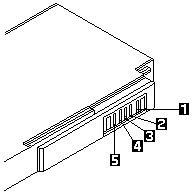
| Main battery | Lithium-ion (3-cell, 6-cell optional) | Lithium-ion (3- or 6-cell) | — |
| CMOS battery | Soldered lithium cell | ||
| Power connector | Barrel jack | ||
| Media drives | None; external drives only | ||
| PC Card slots | 1 × CardBus (Type II) | — | |
| Networking | Modem | Modem or Ethernet | |
| Ports |
|
— | |
| BIOS | IBM BIOS | ||
| Pointing device | TrackPoint | ||
IBM model codes — 83 models of machine type 2609
| Variant | Model codes |
|---|---|
| ThinkPad 240 | 2609-15J, 2609-21A, 2609-21C, 2609-21F, 2609-21G, 2609-21H, 2609-21J, 2609-21K, 2609-21M, 2609-21T, 2609-21U, 2609-25J, 2609-31F, 2609-31H, 2609-31J, 2609-31K, 2609-31T, 2609-31U, 2609-35J, 2609-41A, 2609-41C, 2609-41F, 2609-41G, 2609-41H, 2609-41J, 2609-41K, 2609-41M, 2609-41P, 2609-41S, 2609-41T, 2609-41U, 2609-41X |
| ThinkPad 240X | 2609-51A, 2609-51C, 2609-51F, 2609-51H, 2609-51J, 2609-51K, 2609-51M, 2609-51P, 2609-51S, 2609-51T, 2609-51U, 2609-51X, 2609-52A, 2609-52C, 2609-52F, 2609-52H, 2609-52J, 2609-52K, 2609-52M, 2609-52P, 2609-52S, 2609-52T, 2609-52U, 2609-52X, 2609-53J, 2609-61A, 2609-61C, 2609-61F, 2609-61G, 2609-61H, 2609-61J, 2609-61K, 2609-61M, 2609-61P, 2609-61S, 2609-61T, 2609-61U, 2609-61X, 2609-62A, 2609-62C, 2609-62F, 2609-62G, 2609-62H, 2609-62J, 2609-62K, 2609-62M, 2609-62P, 2609-62S, 2609-62T, 2609-62U, 2609-62X |